Phishing kits EvilTokens, Knight Office and Kali365 steal Microsoft 365 session tokens
By The Daily Byte
·19 Nov 2026
·4 min read
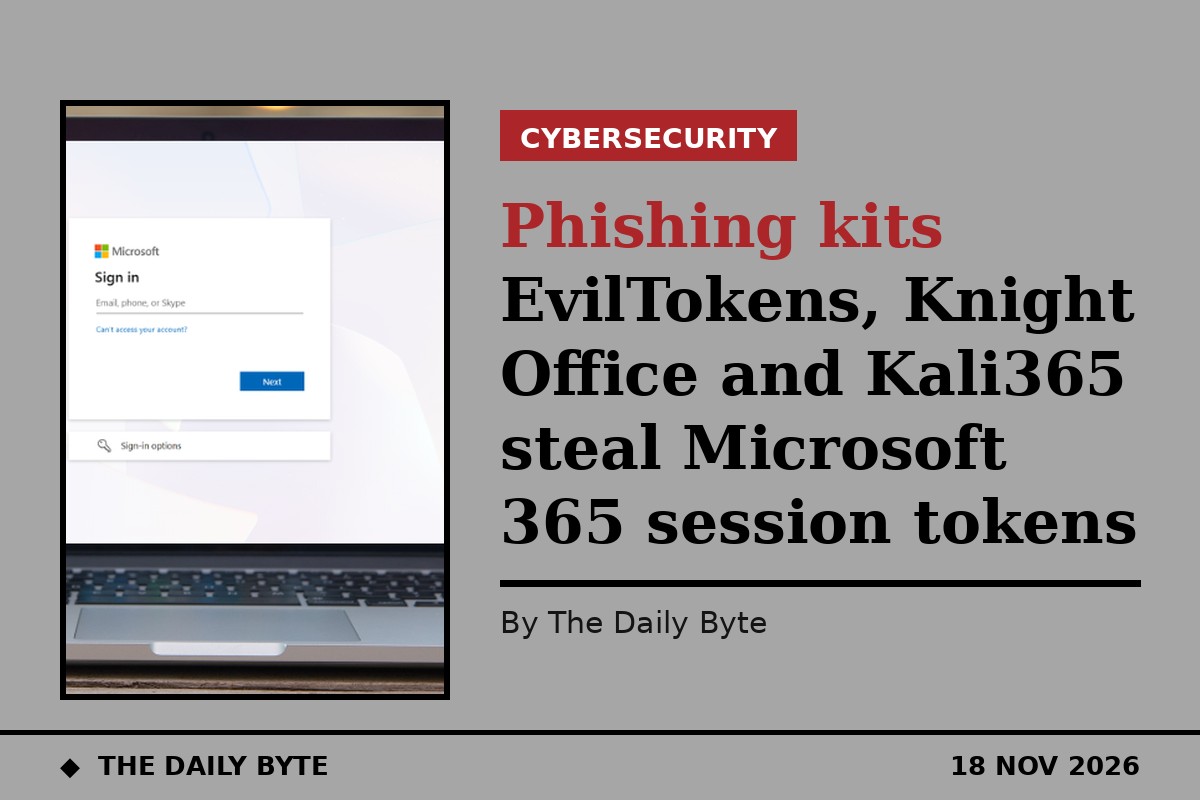
Three phishing kits are now built to steal live Microsoft 365 session tokens rather than passwords, letting attackers walk into victims' email and cloud accounts even where multi-factor authentication is switched on. Security firm Huntress analysed the kits — EvilTokens, Knight Office and Kali365 — in research published by [BleepingComputer](https://www.bleepingcomputer.com/news/security/inside-modern-phishing-kits-built-to-steal-microsoft-365-sessions/) on 17 November 2026.
The shift matters because a stolen session token replays a login that has already passed its checks. The attacker does not need the victim's password, and does not need to pass multi-factor authentication again. Huntress found that refresh tokens harvested in one campaign stayed usable for up to 90 days, giving attackers a long window of access.
## The three kits
EvilTokens was discovered by Huntress in early 2026 during a device-code phishing campaign that abused Railway, a developer cloud platform, as a token-harvesting and replay engine. Microsoft says EvilTokens campaigns compromised more than 12,000 inboxes at over 10,000 organisations, in industries including construction, real estate, financial services, wholesale distribution and healthcare. A joint effort by Microsoft's Digital Crimes Unit and the FBI later in the year led to the arrest of one of its alleged operators.
Knight Office is an adversary-in-the-middle kit. It sits between the victim and the genuine Microsoft sign-in page, captures the valid session token as the victim logs in, and feeds it into an operator console so the attacker can reuse it.
Kali365 bundles a full phishing-as-a-service operation into a single control panel, capturing tokens through device-code flows and reverse-proxy lures, replaying them into live Microsoft 365 sessions and maintaining access, with built-in AI features to scale the operation. The FBI issued a public warning about Kali365 in May 2026. The kit was first seen in April 2026 and is sold mainly on Telegram.
## How device-code phishing works
Device-code phishing abuses Microsoft's genuine device sign-in flow, which was designed for devices without a keyboard, such as a smart TV. The attacker starts a sign-in on their own machine and shows the victim a short code, often disguised as a booking reference with a countdown timer. The victim enters the code on Microsoft's real sign-in page, approves it with their password and multi-factor authentication — and Microsoft hands a working session to the attacker's device, not the victim's.
Huntress reported that device-code phishing attacks rose 1,380% between late 2025 and early 2026. In one wave, no two lures across 344 victim organisations were the same, which makes the attacks hard to block with a single rule.
A separate incident investigated by Huntress's security operations centre showed how convincing the lures have become. Attackers used a fake Microsoft Teams meeting scheduler to trick an employee at a construction company into approving a device-code login, after an email that closely resembled a message from a senior vice-president at another firm. The phishing kit was delivered as AES-256-GCM ciphertext with its decryption key on the same page, so email scanners that do not run JavaScript could not read it. Huntress spotted the stolen session before the attackers could use it.
## Why phishing has become a subscription business
The three kits show that phishing is now sold like software, with dashboards, templates, customer support and AI-written emails. Huntress's research, summarised by [Undercode News](https://undercodenews.com/microsoft-365-under-attack-new-phishing-kits-steal-session-tokens-and-bypass-mfa-protections/), describes the kits as a commercial operation: operators buy the kit, run campaigns, and manage stolen sessions from a control panel.
That commercialisation is the reason the threat is growing: an attacker no longer needs to build the tooling, and because the kits steal sessions rather than passwords, strong passwords and multi-factor authentication do not stop them on their own.
## What organisations should do
Huntress recommends treating any unexpected device-code prompt with suspicion, and restricting or monitoring device-code authentication through Conditional Access policies where it is not needed. Organisations should also watch for sign-ins from unusual locations or infrastructure, and revoke sessions quickly when a token is suspected to have been stolen.
The key point for staff is simple: a code that arrives by email or in a meeting invite should never be entered on a Microsoft sign-in page unless the member of staff requested it themselves.
## Frequently asked questions
**Does multi-factor authentication stop these attacks?**
Not on its own. Device-code phishing tricks the victim into completing the genuine sign-in flow, including multi-factor authentication, and hands the resulting session to the attacker.
**What is a session token?**
It is the credential Microsoft issues once a user has signed in. Replaying it lets an attacker use the account without signing in again.
**How can I tell a device-code phish from a real login?**
A genuine sign-in starts with you. If a code arrives unprompted by email, text or a meeting invite, do not enter it — check with your IT team first.