macOS 27.3 reins in AI agents' access to your Mac
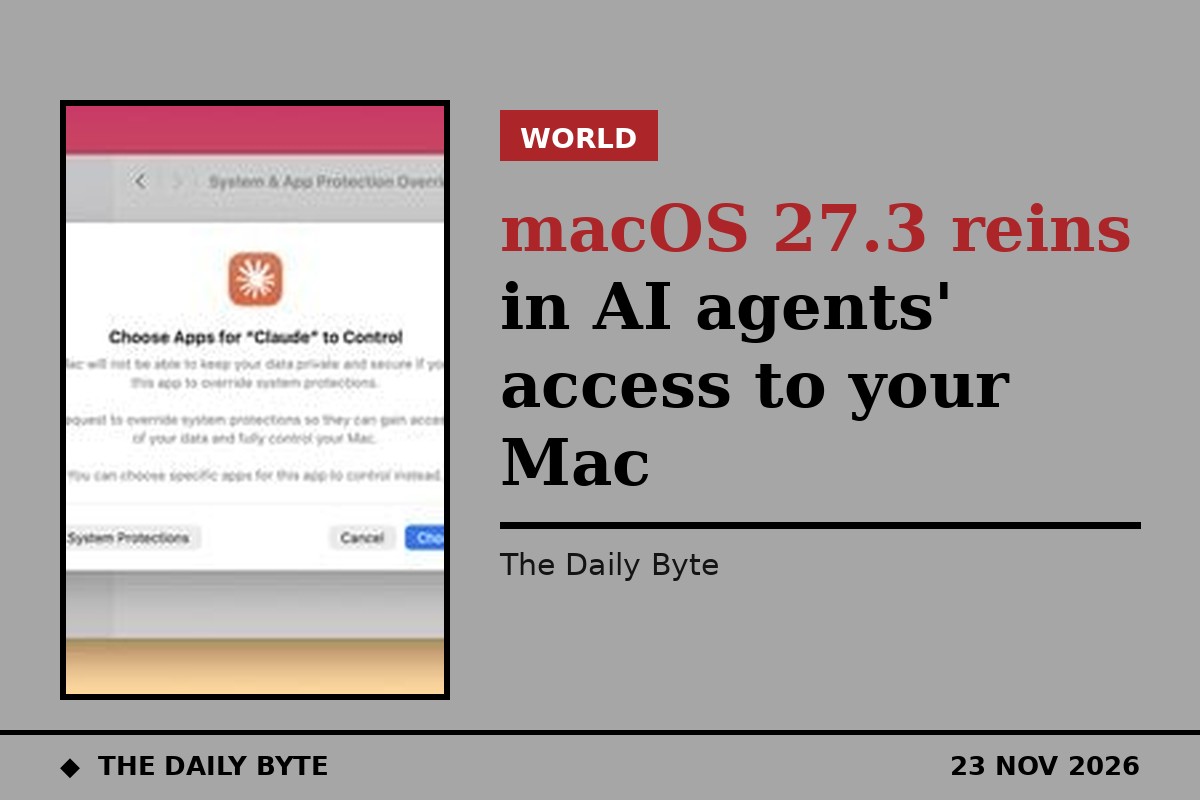
Apple is tightening macOS so AI agents can no longer take sweeping control of a Mac without the user understanding exactly what they are allowing. The changes, in the macOS 27.3 beta, split app permissions into clearer, more granular choices, so users can give an AI tool access to specific apps or folders instead of the whole machine.
Apple announced the changes on 16 November 2026, in a developer post about the Full Disk Access and Device Control and Data Access programming interfaces. MacRumors reported the same day that the changes arrived with macOS 27.3 beta 2. They follow an Apple warning in October that some developers were using Full Disk Access in ways that can put users at risk, exposing files, mail, messages, browsing history and more.
What is changing
The current Device Control and Data Access setting is being split into two options. Accessibility is for assistive technologies that need to interact with macOS, such as screen readers. System and App Protection Override is for automation tools that need to control selected apps, and users can choose exactly which apps an automation tool may control. A new transparency indicator will appear in the menu bar when an app is controlling another app through that setting.
Full Disk Access is also getting more granular. Instead of an all-or-nothing grant that lets an app read nearly everything on the Mac, including emails, messages, browsing history, photos and files belonging to other accounts, users will be able to grant access to specific protected folders. Anyone who still wants unrestricted access must select "Bypass System Protections", review the associated risks, and explicitly approve the permission, with clearer warnings about what the app will be able to read, modify, delete or export.
There will also be a single method for granting permissions, by selecting the requesting app from a list, and users will be able to set an app to ask for permission every time it needs access, rather than granting it once and for all. Apple says developers should adjust their onboarding so apps can "gracefully handle" having access to only a limited set of folders or apps.
Why Apple is acting now
AI agents are useful precisely because they can act across a computer on a user's behalf, reading files, opening apps and carrying out multi-step tasks. That same reach is the risk: an agent with full disk access can see everything, including messages and browsing history. Apple said in October it would add controls after two incidents highlighted the danger. In one, a journalist claimed Meta's Muse app had read their private messages without consent. In another, Wired reported a flaw in ChatGPT's Mac app that could have allowed hackers to access sensitive data.
The new controls do not stop Mac users installing or running AI agents, or apps that ask for higher levels of access. Instead, they give users more nuanced options and clearer information about the choices they are making. Apps that use Full Disk Access for disk backup, or the new Accessibility settings for assistive technologies, can request entitlements to keep the same experience for new installations that they offered before macOS 27.3. Permissions already granted by users will remain in effect after updating.
When will users see it?
The changes are in the macOS 27.3 developer beta now, and will reach all users when Apple releases the stable update. Mac users will see the new prompts when approving new app permission requests, and can review existing permissions under System Settings, Privacy and Security, Full Disk Access.
What is System and App Protection Override? It is the new macOS setting for automation tools, including AI agents, that need to control other apps. Users pick which apps the tool may control, and can require approval every time.
Does macOS 27.3 remove Full Disk Access? No. Users can still grant unrestricted access, but must explicitly choose "Bypass System Protections" and confirm the risks. The default push is towards granting access only to specific folders.
Will my existing app permissions change? No. Apple says permissions granted before macOS 27.3 will remain in effect, and known apps will keep the same experience without an entitlement.
Source: TechCrunch. Second source: MacRumors.