Samsung 'Recompose' Lets AI Re-Angle Your Photos
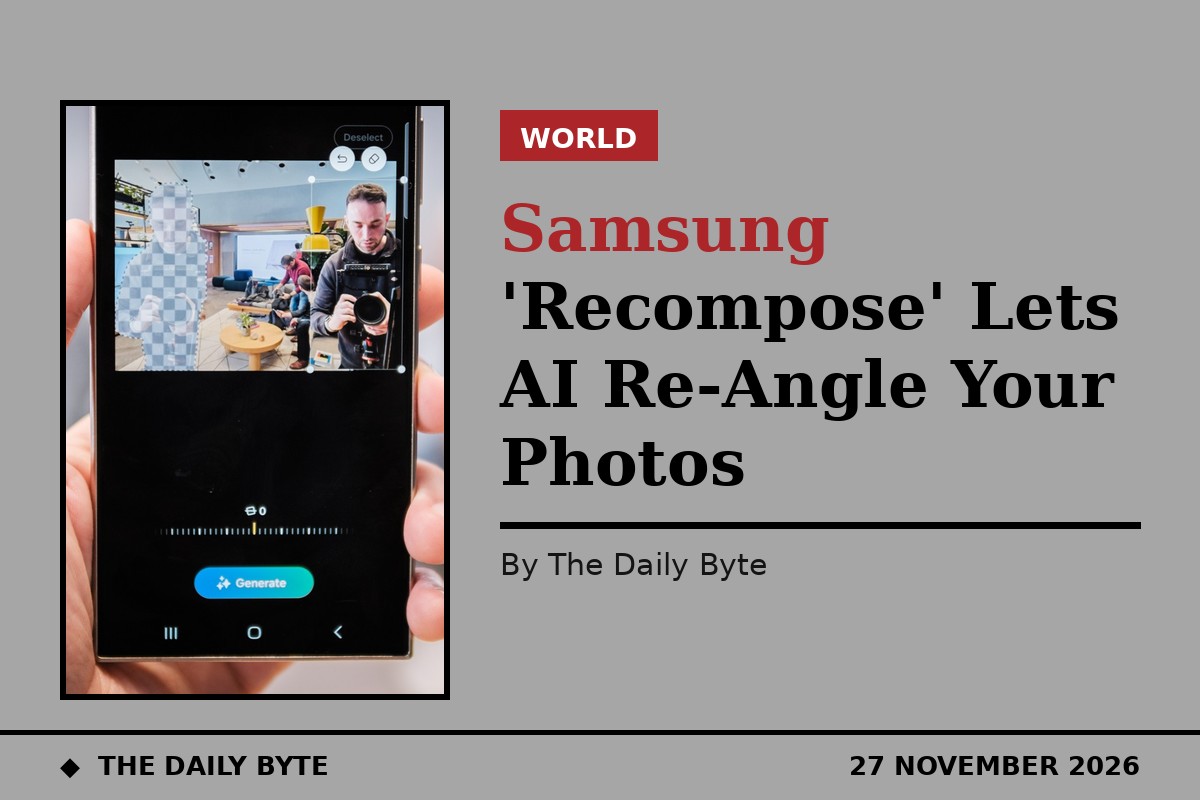
Samsung is working on a Galaxy AI tool that would let users change the angle of a photograph after it was taken, according to code found in the One UI 9.5 beta. The tool, called Recompose, was discovered by Android Authority in the Photo Editor app on a Galaxy S26 Ultra running One UI 9.5 Beta 1, and SamMobile has since managed to get it working in beta firmware.
Recompose sits inside Photo Assist, Samsung's AI editing suite in the Gallery app. Today, the Move tool in Photo Assist only lets users straighten a tilted photo or move an isolated subject. On supported devices, a switch would let users toggle between Move and Recompose, with a reset button to undo angle changes.
The controls are designed to feel like moving a camera rather than editing a flat image. According to strings in the app, users drag with one finger to change the perspective, use two fingers to pan, zoom and rotate, and use a dolly-zoom slider to push the background closer or pull it further away, the classic film trick in which the subject stays still while the background stretches.
The process works in two stages. First, the Photo Editor asks a separate app called Spatial Core to turn the photo into a three-dimensional scene with a depth map, using the photo's focal length and an outline of the main subject. Spatial Core is a 153MB add-on from the Galaxy Store that already powers the 3D Live effect wallpapers in One UI 9.5. Once the user picks a new angle, the original image and the new perspective are sent to Samsung's cloud, which generates the finished photo.
The results are not perfect. SamMobile, which tested the tool, noticed distortion around a vehicle's wheel rim when it changed the perspective, and acknowledged it had given the tool a hard test by reshaping ellipses. Because the finished image is generated in the cloud, Recompose effectively invents the parts of the scene the camera never saw, so a recomposed shot is best treated as an illustration rather than a record of what was there.
There are limits in the code as well. The aspect ratio of a photo must sit between 9:21 and 21:9, and images above 12 megapixels will probably be scaled down to 12 megapixels first. Every edit needs a connection, and Android Authority expects a Samsung account will be required. A hidden setting also lists image models labelled NB2 and NB2.1, which the site reads as Google's Nano Banana models, alongside a new model option labelled GPT in Photo Assist's Style tool.
Samsung has not announced Recompose, and it stays hidden even on the Galaxy S26 Ultra with Spatial Core installed, because the app checks for a newer Galaxy AI version than the phone reports. SamMobile expects the tool to debut with One UI 9.5 and the Galaxy S27 series early next year, with a possible arrival on the Galaxy S26 series late in the beta period. As with any feature found in unfinished code, it could change, arrive in a different form or never ship at all.
Recompose fits a wider pattern in Samsung's photo editing. Over successive One UI updates, the Gallery app has moved from object erasure to sketch-to-image and generative background expansion. Recompose would push that evolution into full three-dimensional editing, letting users fix a bad angle long after leaving the scene. Whether it becomes a headline Galaxy S27 feature or stays a beta curiosity will become clear when One UI 9.5 moves towards release.