What Is a Smart Meter? How It Works Explained
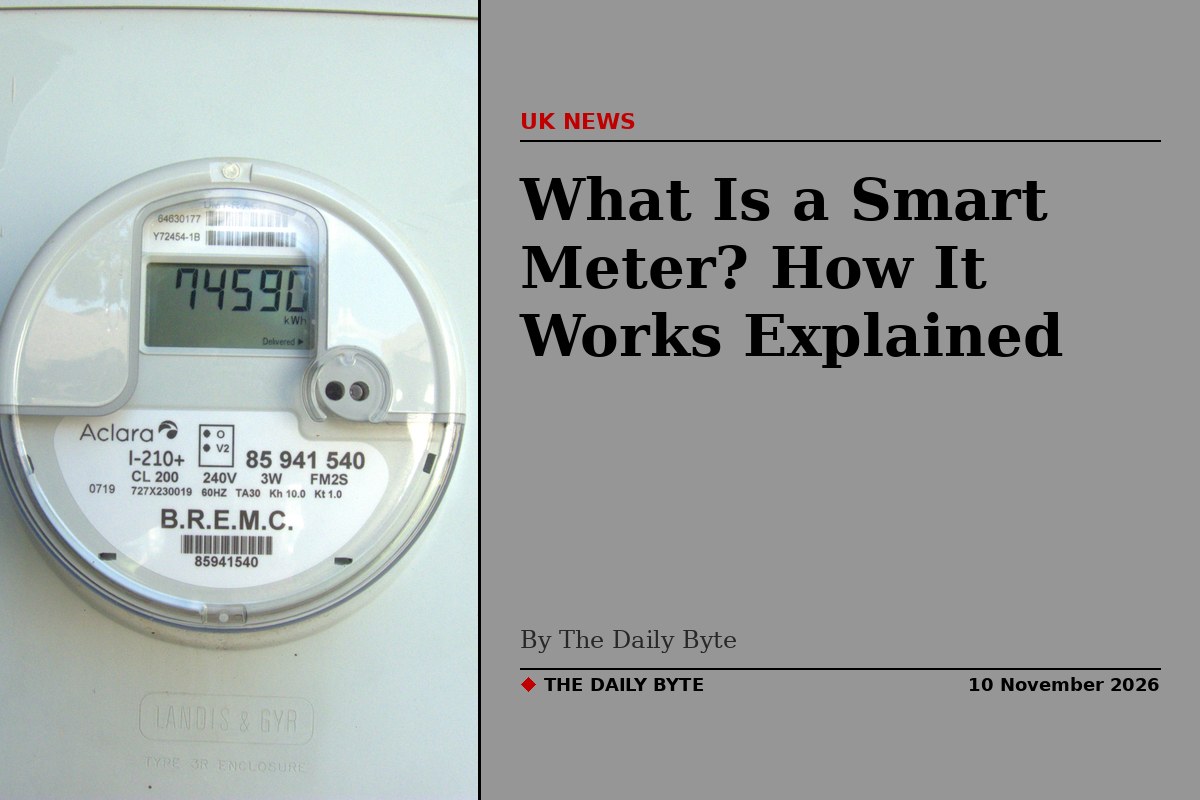
A smart meter is a digital gas or electricity meter that measures how much energy your home uses and sends the readings to your energy supplier automatically. It replaces the traditional meter that you, or a meter reader, had to read by hand. It also comes with a small in-home display that shows how much energy you are using and what it is costing you in pounds and pence, in near real time.
Smart meters are being installed across Great Britain as part of a national programme, and by the end of March 2026 more than 41 million smart and advanced meters had been installed in homes and small businesses, according to government figures. This guide explains how a smart meter works, what the in-home display does, whether you have to have one, and what happens when things go wrong.
How does a smart meter work?
A smart meter works in the same basic way as a traditional meter: it measures the gas or electricity passing through it, in kilowatt-hours. The difference is what happens to that measurement. Instead of sitting on a dial until someone reads it, the reading is sent automatically to your supplier over a secure wireless network, so your bills are based on the energy you actually used rather than an estimate.
In most dual-fuel homes the setup has four parts. The smart electricity meter and the smart gas meter measure your usage. A communications hub, usually fitted next to the electricity meter, collects the readings. And an in-home display, a small portable screen you keep indoors, shows your usage and costs.
The devices talk to each other over two separate networks. The Home Area Network is a short-range wireless link inside your home: it connects the gas meter to the communications hub and the hub to your in-home display. The Wide Area Network carries the readings from the hub to the Data Communications Company, the central organisation that runs the smart meter network in Great Britain, which passes them on to your supplier. A smart meter does not use your home wifi to do any of this.
The gas meter is battery-powered, so to save power it only wakes up every half hour to send a reading. The electricity meter relays the gas data on its behalf, which is why gas usage can take longer to appear on your display than electricity usage.
What is an in-home display?
The in-home display, often called an IHD, is the small screen your installer leaves with you. It shows your energy use in kilowatt-hours and in pounds and pence, so you can see at a glance what you are spending. Many displays use a traffic-light system: green when your usage is below your usual level, amber when it is around normal, and red when it is above it.
For prepayment customers, the display also shows the credit balance, so you can see before you run out. The display is designed to sit plugged in near a socket, usually in the kitchen, and it works by talking to the communications hub over the Home Area Network. If it is too far from the hub it may lose the connection, even when the meter itself is working perfectly.
Your smart meter stores data about your energy use every 30 minutes, and you can see your recent and historical usage on the display or through your supplier's app. Ofgem, the energy regulator, explains that the display is meant to help you track your costs and understand when your energy use could be more efficient.
SMETS1 and SMETS2: what is the difference?
Not all smart meters are the same. The first generation, known as SMETS1, was installed from the early years of the rollout and was tied to the systems of the supplier that fitted it. That caused a well-known problem: when some households switched supplier, the meter lost its smart functions and went back to behaving like an ordinary meter, needing manual readings again.
The current generation, SMETS2, was designed to avoid that. It talks to the central Data Communications Company rather than to a single supplier, so it stays smart when you switch. Since March 2019 suppliers have been required to install SMETS2 meters by default. Most older SMETS1 meters have since been migrated onto the central system remotely, so they should also stay smart after a switch, although a small number of households have still had problems and may need help from their supplier to restore the connection.
If you are offered a smart meter today, it will be a SMETS2 meter. If you already have an older meter and it has gone dumb after a switch, Citizens Advice has a smart meter checker that can tell you what type of meter you have and whether it is working in smart mode.
Do smart meters save you money?
A smart meter does not by itself cut your bills: it measures your energy use, it does not reduce it. What it does is show you, in pounds and pence, what you are spending as you spend it, which can help you spot waste. Official assessments suggest that households that actively use the in-home display typically cut their energy use by a few percent, although the saving depends on whether you actually look at the display and act on what it shows.
The bigger financial benefit for many households is accuracy. Because the supplier receives real readings, you should no longer get estimated bills that are too high or too low, followed by a large catch-up bill. For prepayment customers, smart meters also allow remote top-ups without going to a shop.
A smart meter is also needed for some of the cheapest tariffs now on offer, including time-of-use tariffs that charge less for electricity used overnight, and tariffs designed for electric vehicles and heat pumps. A traditional meter cannot record when you used your energy, only how much, so it cannot support those tariffs.
Do you have to have a smart meter?
No. Smart meters are not compulsory, and you can say no if your supplier offers you one. Suppliers are required to aim to install smart meters in every home in Great Britain, which is why they contact customers about it, and the government has set a target of 90% of meters operating as smart meters by 2030. But the decision to accept one is yours.
There are a few practical points to weigh. Refusing a smart meter does not cost you anything directly, and installation is free if you do accept one: Ofgem states that you will not be charged separately for the meter or the in-home display, although the cost of the national rollout is shared across everyone's energy bills. On the other hand, without a smart meter you cannot access time-of-use tariffs, and you will still need to send manual readings to avoid estimated bills.
Your supplier is responsible for fitting the equipment, and the installer must follow a code of practice. That includes offering you an in-home display, showing you how to use the equipment, and explaining how the installation works before they leave.
What happens if the signal drops?
A smart meter needs a mobile-style signal to send its readings. In homes where the signal is weak, the meter can lose contact with the central system and enter what is known as dumb mode. The meter keeps recording your energy use perfectly, so nothing is lost, but it cannot send the readings to your supplier, and you will need to send manual readings until the connection is restored.
This is a known problem in some areas, and work is under way to fix it. Older communications hubs that relied on 2G and 3G signals are being replaced with 4G units as those older networks are switched off, and the industry is trialling a system called Virtual WAN, which would let a smart meter connect through a home's broadband connection, with the household's consent, where the dedicated signal is too weak.
If your meter has gone dumb, contact your supplier. The fix is usually remote, and in some cases a new communications hub is needed. You can check whether your meter is working in smart mode through the Citizens Advice smart meter checker.
Getting a smart meter installed
Installation is free and is carried out by your energy supplier. For a home with both gas and electricity, the visit usually takes around two hours. The installer fits the new meters, the communications hub and the in-home display, checks that everything is communicating, and shows you how to read the display.
It can take up to 14 days after installation for the supplier to connect fully to the meter and the display, although it is usually much sooner. If your display does not show pounds and pence at first, or the gas readings take a few days to appear, that is normal: the gas meter only reports every half hour, and the first readings have to work their way through the system.
Before you book, it is worth checking a few things: that your supplier knows about any medical equipment that depends on electricity, that you know where your meters are, and that you have access to them on the day. You do not need to be a customer of a particular supplier to get a smart meter: any supplier will fit one for its own customers.
Frequently asked questions
Will a smart meter work if I switch supplier? Yes, if it is a SMETS2 meter. It stays connected through the central Data Communications Company, and your new supplier takes over the readings automatically.
Does a smart meter use my wifi? No. It uses its own secure wireless networks, the Home Area Network inside your home and the Wide Area Network to the central system.
Can a smart meter cut off my supply remotely? Suppliers can switch a smart meter between credit and prepayment modes remotely, but disconnection for debt is governed by strict Ofgem rules, and suppliers must follow a set process before taking such action.
Do smart meters work in flats? Usually, yes, although the distance between the meter cupboard and your home can affect the signal to the in-home display. Your installer will check this during the visit.
What should I do if my in-home display stops working? First check that it is plugged in and close to the communications hub. If it still does not work, contact your supplier: the meter itself may be fine and only the display needs attention.
A smart meter will not solve high energy bills on its own, but for most households it means accurate bills, no more manual readings, and a clearer picture of where the money is going.